
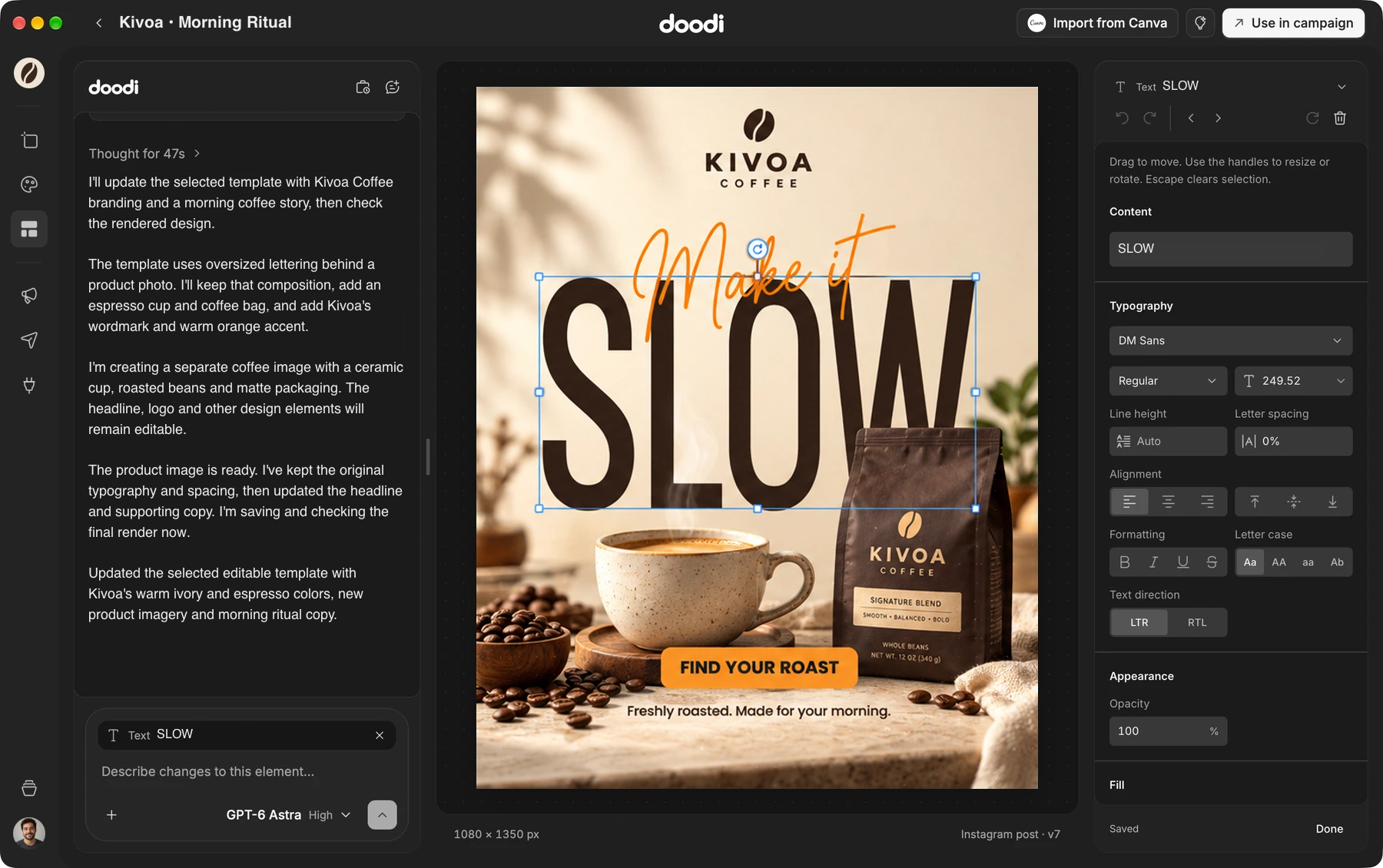
Start with your idea.
Give Doodi a brief and your brand context. Build the first design in the same place you refine it.
Turn a brief into editable social posts. Bring your brand,
build a campaign and publish from one workspace.
19 of 20 left at $59 · then $79
Pay once. Design for a lifetime.
AI design, editable templates and publishing.
One workspace around the work you make.
Give Doodi a brief and your brand context. Build the first design in the same place you refine it.
Change the headline, adjust an image or reuse a layout. The next version is still yours to shape.
Review the finished post, choose an available connected account and schedule when it goes out.
Your brief, designs and next version,
with your brand in mind.
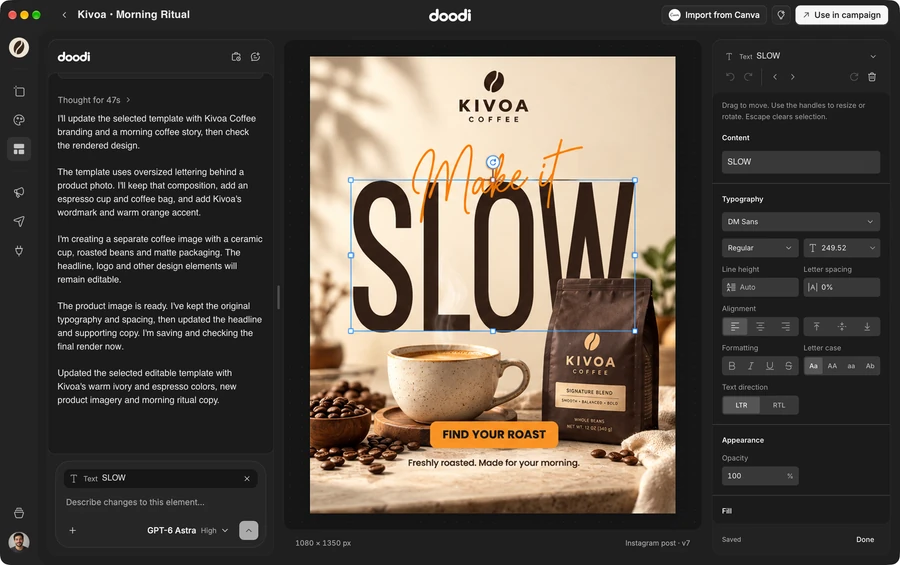
Describe the post you need, then work with Doodi on the copy, imagery and layout. Select a specific layer or area when you want to change a detail.
Use your project’s brand context and a clear creative brief.
Adjust supported text and image properties on the artboard.
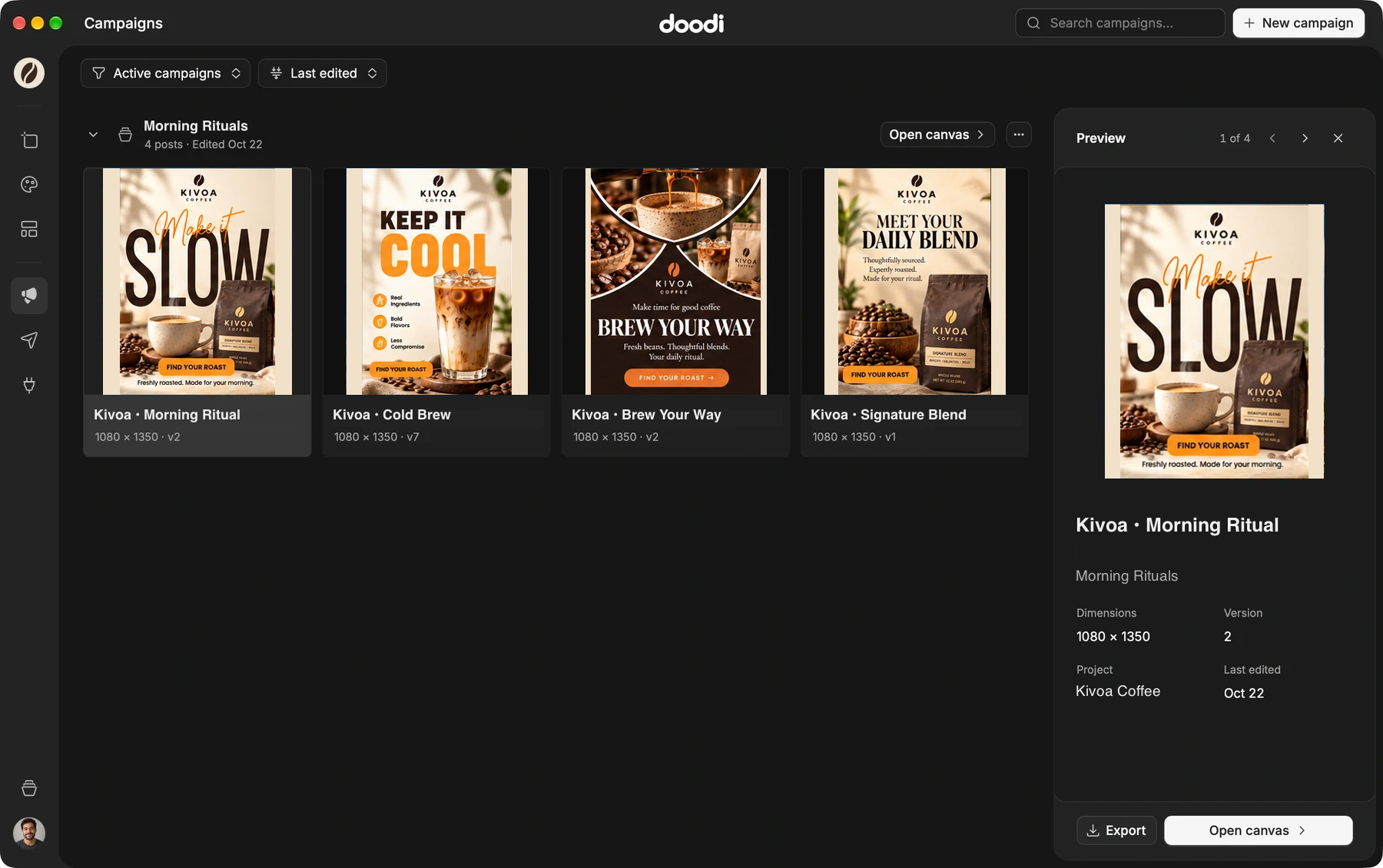
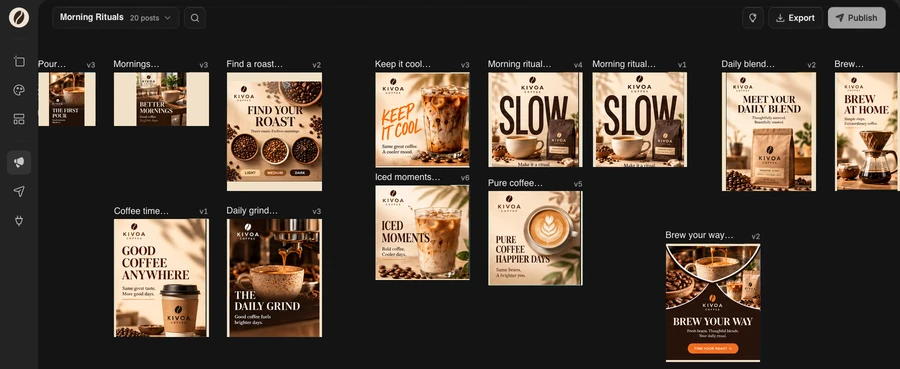
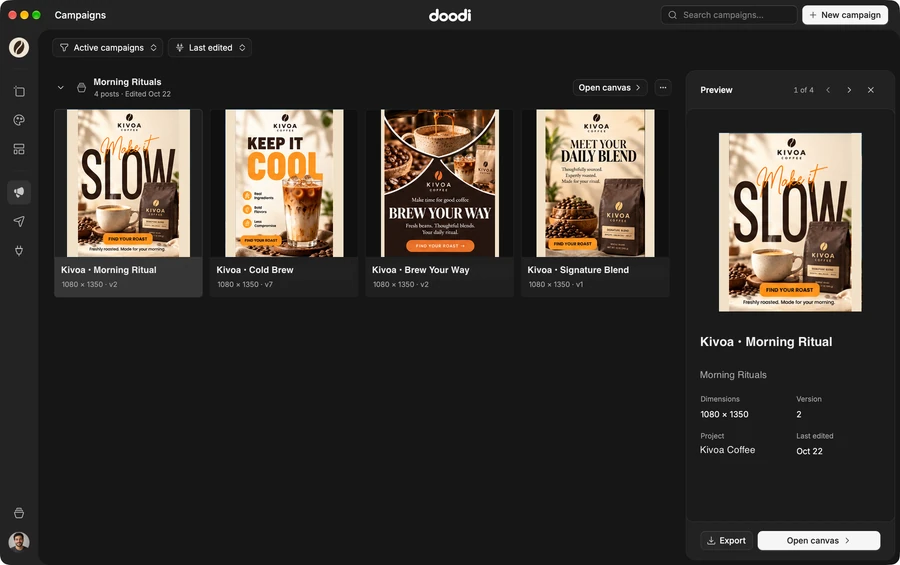
Keep related posts together so you can see the whole idea. Move between the campaign view and individual designs without losing the context.
Review the message, artwork and consistency across your posts.
Create feed and story versions, then check each layout.
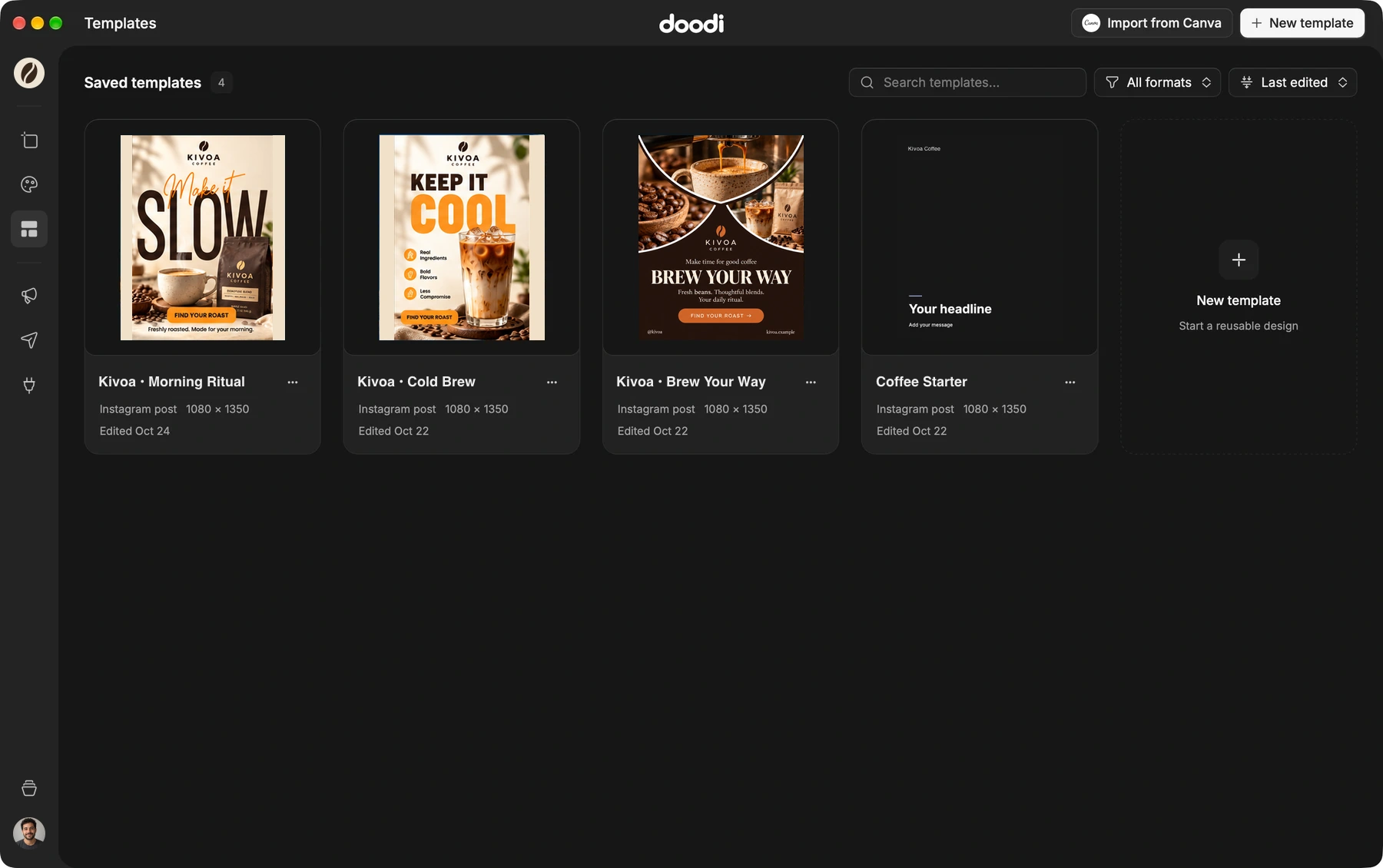
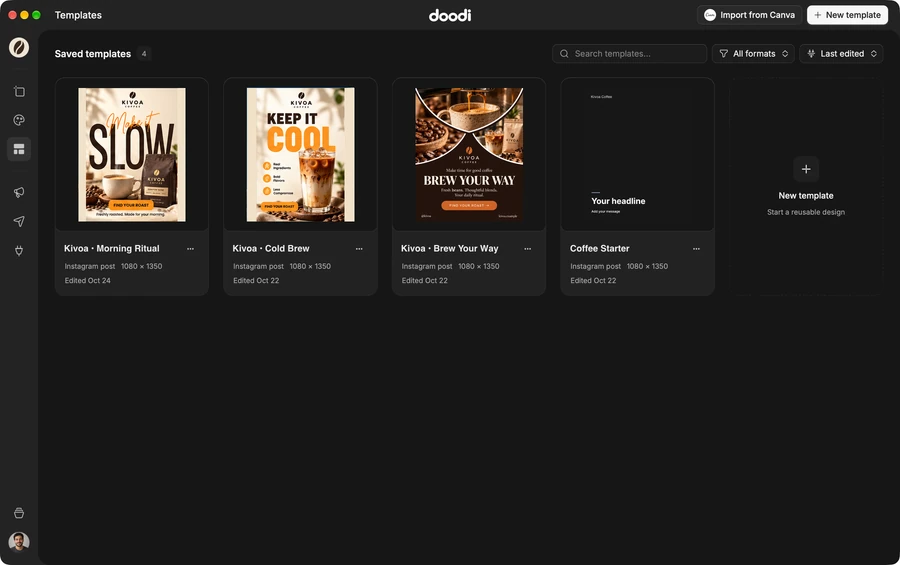
Build a template library around the work you actually make. Use an independent copy in a campaign, then change the message, images and details.
Save layouts in the project they belong to.
Campaign copies can change while the source stays ready to reuse.
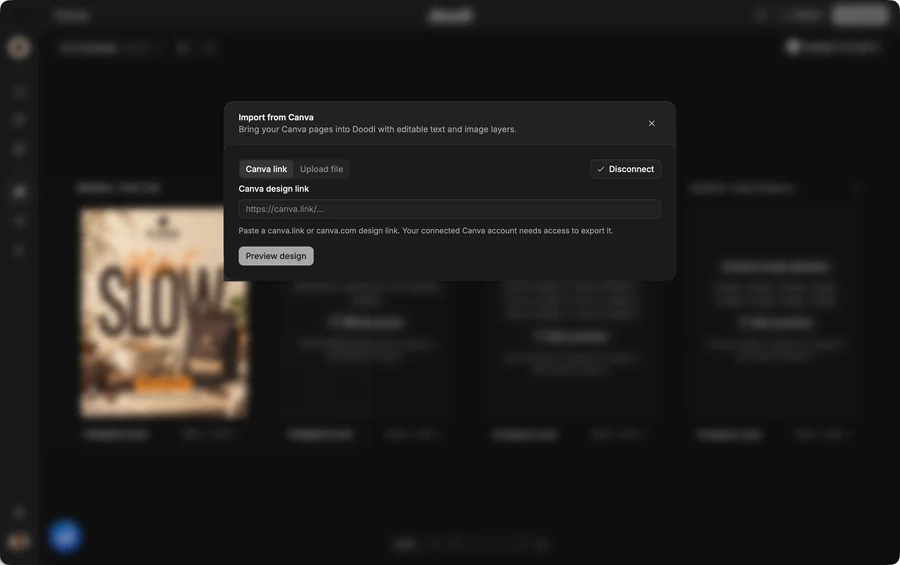
Import a Canva design link or an unflattened PDF. Review the pages and continue with supported editable text and image layers.
Import into a campaign or Template Studio.
Some fonts, effects and elements may differ or remain images.
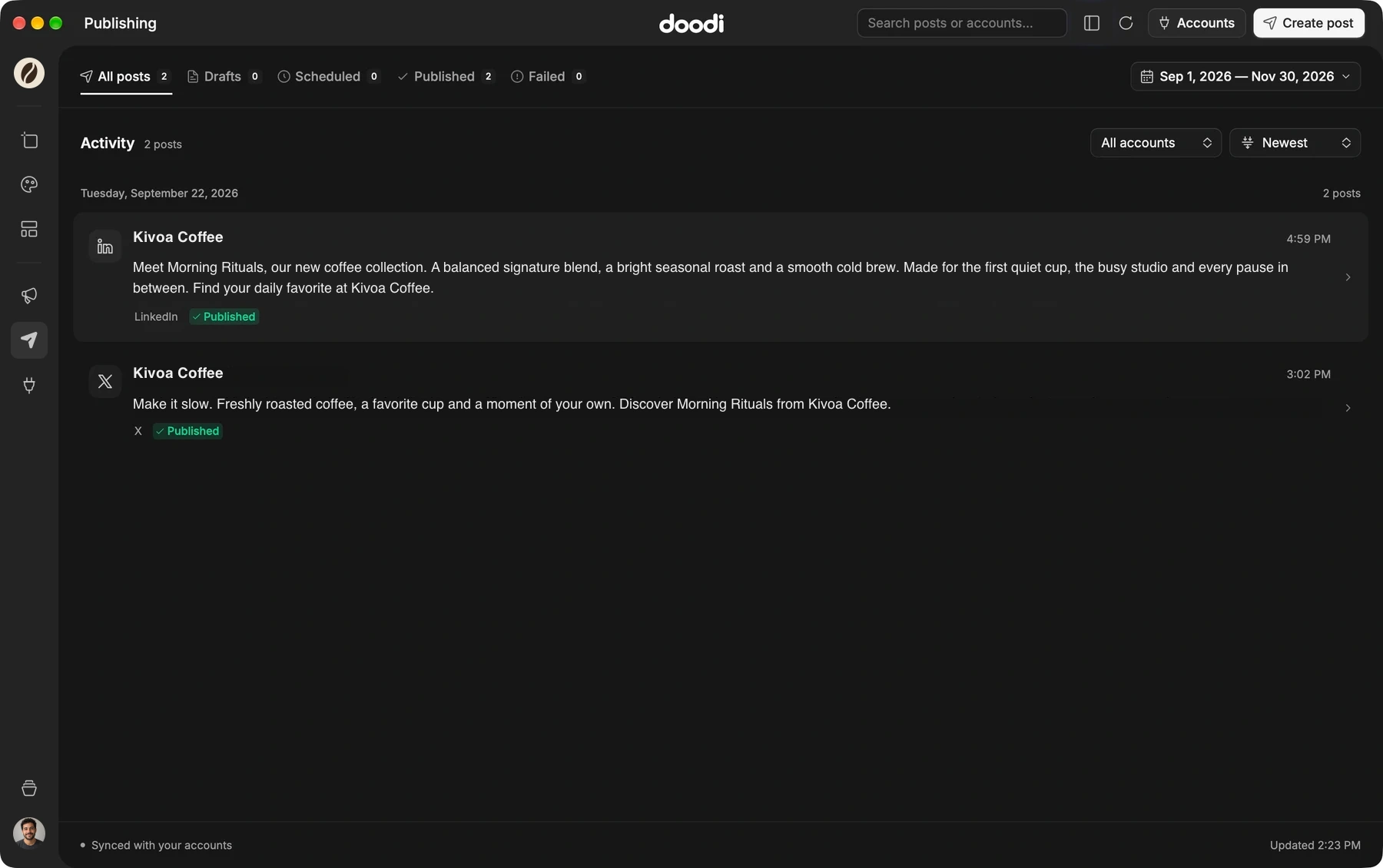
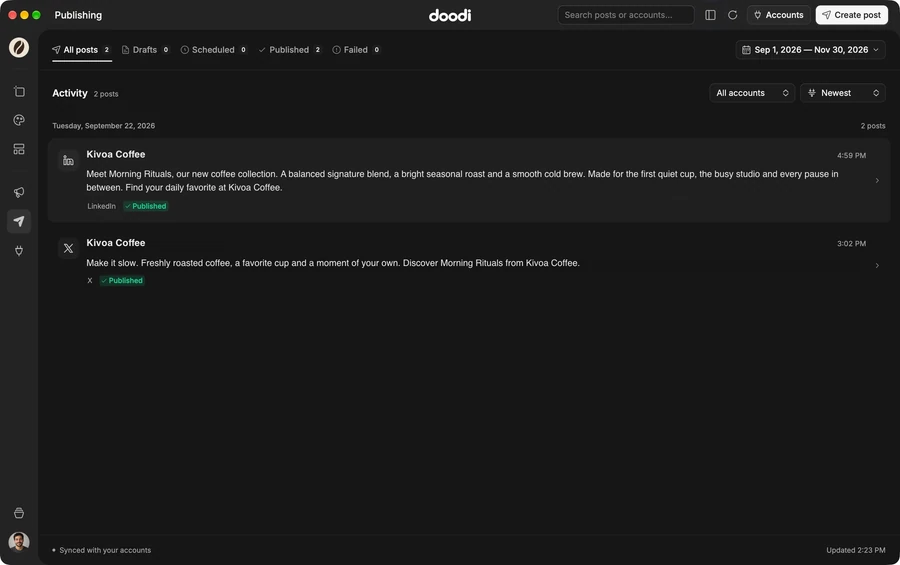
Check the caption, media and destination before sending a post. Keep drafts, scheduled work and publishing status alongside the designs.
Use an available connected account, or export for another scheduler.
See published posts and failures in the Publishing workspace.
Keep brand notes, logos, images and website sources in the right project. The next design starts with the information you already collected.
Keep each brand’s campaigns, assets and templates together.
Your account syncs the work across your two active devices.
Connect a compatible local AI client through MCP. Let it read your project, work on designs and render the result, with access you control.
Control reading, writing, publishing and deletion access.
Check the rendered design before any publishing action.
A one-time purchase for your creative work.
Your first year of updates and publishing is included.
For your brand, your campaigns and the next idea.
$59USD · one-time payment
Keep your design access.
Renew updates and publishing when you need them.
AI access is separate. View the full license details.
Launch pricing rises as licenses sell, up to $149.
19 of 20 left at $59 · then $79
Doodi is a Mac workspace for AI-assisted social media design. Create editable posts, organize campaigns, reuse templates, export images and publish through available connected accounts.
The current release is for Apple silicon Macs. You need internet access, a Doodi account, an activated license and supported AI access.
Yes. Select supported text and image layers, adjust their properties, or ask Doodi to change a specific element or area. Designs stay editable before export.
Yes. Import a Canva design link or an unflattened PDF. Supported text and image layers remain editable; review the result because some effects, fonts or elements may differ.
The lifetime license covers one account on two active Macs. It includes one year of app updates and one year of publishing for three profiles. AI usage, future updates, publishing renewal and extra profiles are separate.
No. Doodi is a desktop app with account-based cloud sync. Projects, designs, messages and supporting files sync to your account. AI and connected services process the content needed for the features you use.
Bring the brief, your brand and a good idea.
Make the next post in Doodi.
With your permission, analytics helps us understand visits and purchases, and Meta Pixel helps measure our advertising. You can change your choice any time. Privacy details
Essential account, checkout and preference storage stays enabled.